

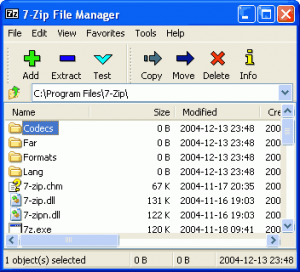
7-Zip is a free software/open source file archiver designed originally for Microsoft Windows. 7-Zip operates primarily with the 7z archive format, as well as being able to read and write to several other archive formats. In operation a user can use the command line, graphical user interface or Windows shell integration. 7-Zip began in 2000 and is actively developed by Igor Pavlov. It is related to a cross-platform port, p7zip.
The main features of 7-Zip
* High compression ratio in new 7z format with LZMA compression
* Supported formats:
o Packing / unpacking: 7z, ZIP, GZIP, BZIP2 and TAR
o Unpacking only: RAR, CAB, ISO, ARJ, LZH, CHM, MSI, WIM, Z, CPIO, RPM, DEB and NSIS
* For ZIP and GZIP formats, 7-Zip provides a compression ratio that is 2-10 % better than the ratio provided by PKZip and WinZip
* Strong AES-256 encryption in 7z and ZIP formats
* Self-extracting capability for 7z format
* Integration with Windows Shell
* Powerful File Manager
* Powerful command line version
* Plugin for FAR Manager
* Localizations for 69 languages
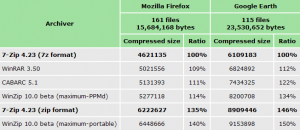
Compression ratio
We compared 7-Zip with some of the leading archivers.
– 7-Zip now can update solid .7z archives.
– 7-Zip now supports LZMA2 compression method.
– 7-Zip now supports XZ archives.
– 7-Zip now can unpack NTFS, FAT, VHD and MBR archives.
– 7-Zip now can unpack GZip, BZip2, LZMA, XZ and TAR archives from stdin.
– 7-Zip now can open/copy/compress disk images (like \\.\c:) from \\.\ folder.
– 7-Zip File Manager now doesn’t use temp files to open nested archives
stored without compression.
– New -scrc switch to calculate total CRC-32 during extracting / testing.
– New -scc{WIN|DOS|UTF-8} switch to specify charset for console input/output (default = DOS).
– Some bugs were fixed.
7-Zip 26.03 | Final
– Improved support for Joliet ISO images and Compound archives.
– Some bugs and vulnerabilities were fixed.
– CVE-2026-58052 : 7-Zip failed to preserve the Mark-of-the-Web when extracting a crafted archive.
Added ISO7Z plugin support (17 Jul 2023)
- CCD/IMG – disc images created with CloneCD
- CDI – disc images created with DiscJuggler
- CHD (v4) – images used by MAME
- CSO
- CUE/BIN
- ECM – disc images compressed with ECM Tool
- GDI – Dreamcast Gigabyte disc images
- ISZ – disc images created with UltraISO
- MDS/MDF – disc images created with Alcohol 120%
- NRG – disc images created with Nero Burning ROM
- Zisofs compressed files
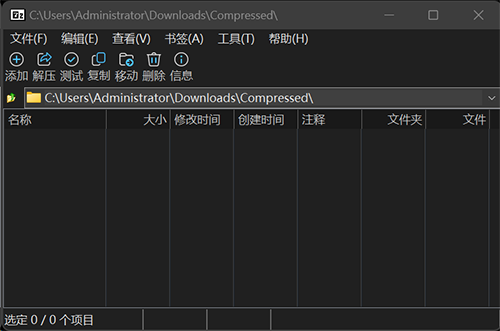
6 September 2026 – Update dark mode version (Thanks to ozone10 release)
(Freeware Silent Repack) x86
Download
(Freeware Silent Repack) x64
Download
(Freeware Silent Repack) x64 Darkmode
Release note:
- Update 7z to v26.03
- Update darkmodelib to v0.76.0
- Add GPG public key with fingerprint
9ED2D82C59663D49CBEB09C260E4ABAC5B4C51DC
Download

7 thoughts on “7-Zip 26.03”
Thank you very much!
x86 Dangerous File Blocked when try to download it, please fix it Thanks
fixed
if you’re a fan of dark mode, please check this project!
https://github.com/ozone10/7zip-Dark7zip
thanks sharing… added darkmode version
This installer reported the following error, unable to install
Windows cannot find ‘7z2601 -x64.msi/qb’. Make sure you typed the name correctly, and then try again.
it is fixed