
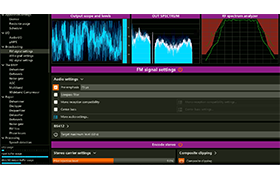
Stereo tool is a software-based audio processor which offers outstanding audio quality and comes with many unique features. It is used by over 1500 FM stations ranging from small local stations to 50-100 kW stations and nation-wide networks with dozens of transmitters, thousands of streaming stations and many DAB+, HD, AM and TV stations. It can be used for both live and file based processing.
If you don’t use Stereo Tool for FM processing, Basic suffices.
FM Standard offers “standard” FM processing, stereo and RDS encoding. The processing in this license is comparable to what many high end (00+) hardware boxes offer. In most markets, this license will make you one of the louder stations on the dial.
FM Professional adds our special Composite Clipper to the processing. This is the same clipper that’s in the Omnia.9sg and the Omnia.9 and Omnia.7 are being upgraded to it. The Composite Clipper takes the stereo pilot, stereo encoding and RDS into account when generating the composite MPX signal, which increases the headroom for audio by a lot. You can typically generate a signal that’s 2-3 dB louder without sounding more clipped, which results in a much more dynamic and much higher fidelity signal. Beside that it unlocks our “Asymmetric L-R” mode, which adds another 1 dB or so. Beside these advantages to the audio signal, the clipper can also analyse the RF spectrum after the exciter, and optimize the signal to reduce reception issues in fringe areas and in multipath areas.
If you can use Stereo Tool to generate the composite MPX signal, we highly recommend the FM Professional version, which sounds much better and improves your reception. To be clear, with FM Standard you’re not doing worse than most high end hardware boxes, but FM Professional really takes it to another level – assuming proper hardware you’ll be the loudest and cleanest station on the dial.
Declipper
Due to the so-called loudness war, where everyone wants their track to sound louder than any other track, nearly all music from the last 20 years or so has been clipped during mastering. This causes several issues:
- It sounds distorted
- It lacks dynamics
- Low bitrate codecs are using a lot of their bits to encode the distortion, leading to much more lossy compression (MP3, AAC, …) artifacts.
To make things worse, audio processing tends to boost softer sounds, in this case, the distortion, which worsens these problems. The Declipper repairs the audio before it enters the processor.
Our declipper is also used by police forensics labs. The following video shows what it does to clipped audio:
Delossifier
The Delossifier improves the sound of lossy compressed audio. It’s targeted at repairing low bitrate MP3 and MPEG2 files. Use this if your playlist contains low bitrate tracks. (But please, do everyone a favor and replace them…. With clipped audio that’s usually not possible, but low bitrate is a different story.
Advanced Dynamics
Advanced Dynamics was added in Stereo Tool version 8.50. It consists of 2 parts:
- Auto EQ
- Dynamic ratios
Auto EQ is the most spectacular part. It adjusts the sound before the AGC without compressing it. This makes it possible to have a much more consistent output without sounding processed. Since it doesn’t compress the audio, it doesn’t add density and doesn’t cause pumping or breating. Auto EQ can achieve the same spectral consistency that multiband compression can, without those side effects. It does not affect audio levels, only the spectrum.
Dynamic Ratios makes it possible to have a different ratio in the compressors depending on how much they are pushing the level down. When it gets deeper, it gets steeper. So a very loud sound will be compressed more.
This video shows the Auto EQ in action:
2026/11/03 v11.07
Bug fix: Backup mode in 11.06 didn’t go back to main input. Reverted backup behavior change for now.
2026/11/03 v11.06
(5.0.6)
Bass Exciter could cancel harmonics instead of adding them. Added protect against phase cancellation checkbox; reduce effect strength when enabling this!
GUI: Scroll bar grows dynamically when mouse cursor gets close.
GUI: Language support: Chinese is now supported in 64 bit ARM builds.
VST plugin: VST plugin parameter checking had some issues with calculating the processing delay, could cause weird behavior.
I/O: Improved backup switching behavior, muting main input when in backup mode, and added delay before deciding whether to switch back to main.
Bug fix: VST Plugin: macOS: Fixed a GUI window issue in Adobe Audition that made it unusable.
Bug fix: VST Plugin: iZotope RX: Fixed a GUI window issue, may also fix things in other hosts.
Bug fix: VST plugin: GUI open could cause continuous level drops in PhaseEqualizer (since forever).
Bug fix: I/O: Multiple AES67 outputs all got the same (random but not really random) SSRC.
Bug fix: I/O: Fixed a GUI exception in I/O downmix stereo settings.
Bug fix: I/O: AES67 input was broken when only 1 channel was used.
Bug fix: Highs Exciter could cause exceptions with specific settings at latency 1024.
Bug fix: JSON API: Request with multiple ID’s broken since 11.00 – fixed.
Bug fix: Streaming outputs didn’t work in plugin versions since some time, probably since 11.00.
Bug fix: HLS inputs could have dropouts on StereoToolBox due to too small buffer for the higher internal sample rate.
I/O: AES67 LiveWire output now enforces 48 kHz sample rate just like input.
I/O: Backup input now crossfades instead of adding (until now, backup audio was added to – probably silent – main audio).
GUI: Fixed frequency label background color when hovering over parametric EQ display.
GUI: Enterprise: Fixed F11 full screen toggle in instances > 1.
GUI: Bug fix: File browser windows for Kantar and Intrasonics didn’t show files for the required file extension.
Web interface: Meterbar shows message when empty.
Web interface: Added dynamic coloring for meters.
Web interface: Hamburger-mode navigation items must fill the width.
Web interface: Created text color for use on accent color.
Web interface: Fixed scale lines and meter borders.
Web interface: Added shortcut Alt Shift + and – to open and expand all menus.
Web interface: Don’t show popups when a user is typing.
Web interface: Parameteric EQ pages: Added bands hz meter with hover.
Web interface: Improved zoomed-out scope viewa, fixed weird lines in scopes caused by scrolling.
JSON API: Clarified when it can be used without a security token.
STXtreme/StereoToolBox: Added a warning if it’s running without a license.
STXtreme/StereoToolBox: Front panel and web interface now have separate skins.
STXtreme: Bug fix: New HD instance had HD out disabled without a way to enable it.
Password protection: GUI: Red bars for admin password removed if password protection is off.
Added Hifiberry Studio ADC to SD card image versions.
MicroMPX: Changing hash in encoder or decoder was only activated after a restart.
Updated presets
Special thanks to CallumCat (TSRh) keygen and Blackrider (TSRh) and jonathanhkr Internet check patch release.
Registered Members only

14 thoughts on “Thimeo Stereo Tool 11.07”
thnks is stereotool 10.41 its ok thnks
link fixed..
Hello,
Thanks for sharing
oh i never thought i’d ever see a new version from tsrh again
X64?
we only can pray Blackrider release any other gift to us… pray him in good health 👍
Hello,
Thanks for sharing.
jazzjim ok thnks stereotool 11.05 its ok
We need a x64 version The 32 bit version is stripped down and missing a lot of the stuff that only the x64 has.
it is same stuff. only x86 cannot use more than 4gb ram. different compile only. we only have x86 at this moment.
Were can I find video play out software ? Or were can I make a request ?
Thanks for sharing this version
oh lordy, i hope they publish the VST plugins
Anyone able to make work x64 VST version ?