

Hydra is a free and open-source download manager written in Rust. It dynamically splits a file across multiple connections and across independent mirror sources, then keeps rebalancing that work while the download runs, so one slow server does not hold the whole transfer hostage. Hydra is a high-performance network file retriever designed for speed, resilience, and adaptability. It dynamically partitions downloads across multiple connections and independent mirror sources, continuously rebalancing work to maximize throughput without stalling on slow peers. It ships as both a wget/curl-compatible CLI and a cross-platform desktop download manager with browser integration.
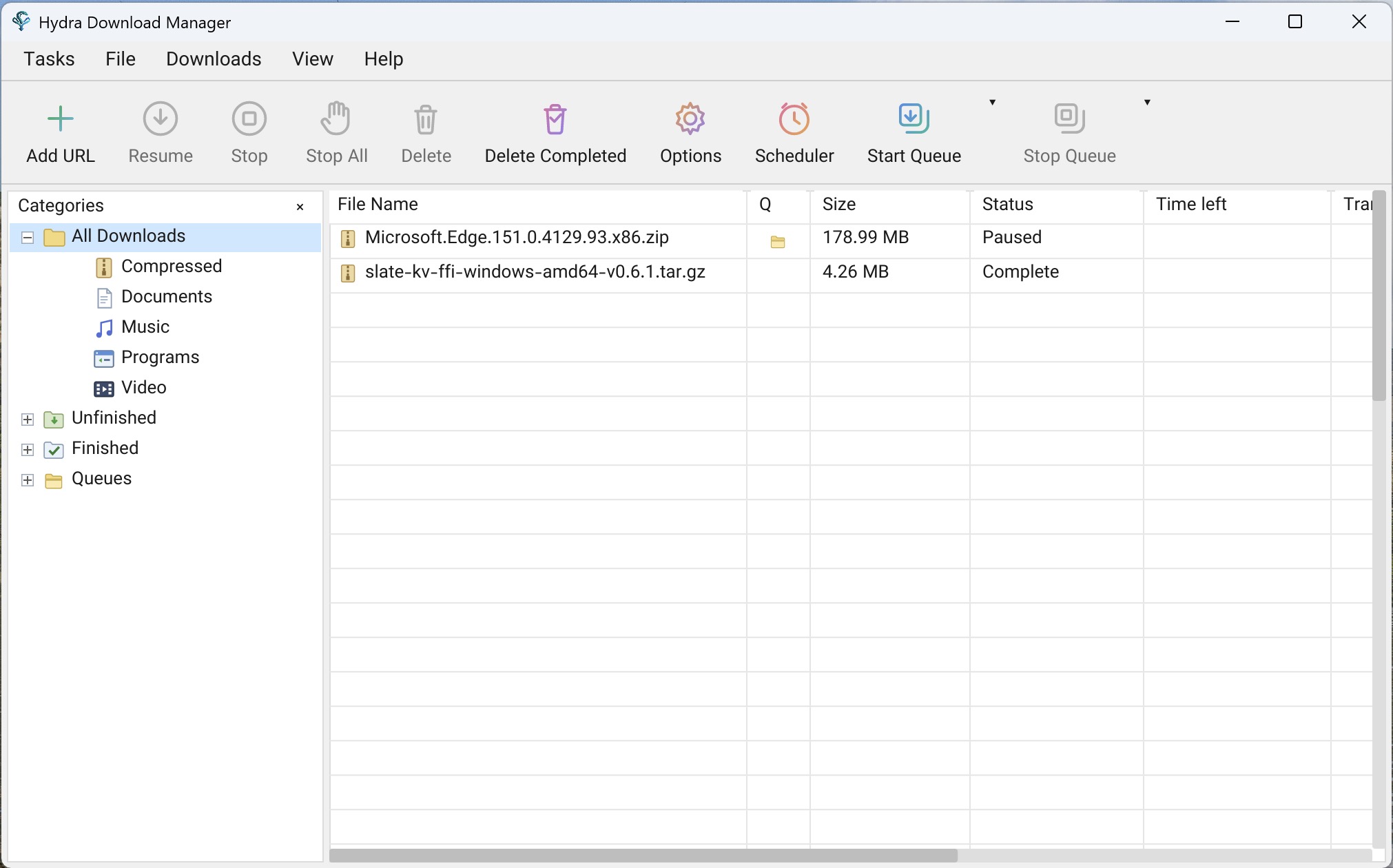
It ships in three shapes from the same engine:
- Desktop app — Windows, macOS and Linux, with categories, a queue and scheduler, tray icon, and browser integration.
- CLI — `wget` / `curl` compatible, with an interactive TUI queue manager.
- `libhydra` — the engine on its own as a C ABI shared library, for embedding in other applications (permissively licensed, separate from the GPL app).
Engine
- Adaptive concurrency — splits files across connections and mirrors, rebalancing live
- Range stealing — work is reassigned from slow peers to fast ones automatically
- Stall detection — statistical estimators catch degraded connections early
- HTTP(S), FTP, CONNECT tunnelling, SOCKS4/4a/5
- Integrity checks — checksum manifests plus Reed–Solomon bitrot protection
- Flat memory use — positioned writes keep RAM constant regardless of file size
Desktop app
- Browser integration for Chrome, Edge, Firefox and Safari — downloads are handed off automatically, plus right-click capture and media sniffing
- Queue and scheduler with start/stop times and retry tracking
- Tray icon, sounds, launch-on-startup
- Localized in 10 languages (ar, en, es, fa, fr, ja, ko, nl, ru, zh)
- In-app updater, including for installs in root-owned directories
CLI
- Drop-in `wget` / `curl` flag and dialect support (`hydra compat-link` installs the shims)
- Interactive TUI to manage, pause, resume and monitor the queue
- Content-based file type detection and auto-sort
- Remote checksum lookup — verify server-advertised digests before or after downloading
Requirements
- Windows — Windows 10 or later, x64 or ARM64
- macOS — macOS 11 or later, Intel or Apple Silicon
- Linux — x86_64 or aarch64; `.deb`, `.rpm` and portable tarballs provided
- Building from source needs Rust 1.80+
macOS note: the app is not notarized yet, so Gatekeeper may block it. If macOS
> says the app is damaged or from an unidentified developer, run: xattr -cr /Applications/Hydra\ Download\ Manager.app
What’s new in v1.2.0
- Downloaded Bytes Column & Status Progress Bar (
hydra-gui): - Added a dedicated “Downloaded” column in the downloads table displaying the exact byte count retrieved so far.
- Added an inline graphical progress bar rendered directly within the Status column for active transfers, providing immediate visual progress alongside status text and percentages.
- Browser Extension Plugin Link Interception & Media Actions (browser extensions,
hydra-gui): - Added automatic interception for browser link clicks matching installed Hydra plugin claims (such as streaming video links or torrents), forwarding them straight into Hydra plugins.
- Added in-page media panel download actions to trigger plugin downloads directly from web pages.
- Added a toggle under extension settings in the desktop app to enable or disable plugin link interception.
- Recent Save Folders Menu (
hydra-gui): - Added a quick-access dropdown menu next to the “Save As” path in the Add URL and File Info dialogs, allowing one-click selection of recently used download destinations.
- Double-Click to Open Completed Downloads (
hydra-gui): - Added double-click interaction to open completed downloads directly in their default system application.
- Customizable Toolbar (
hydra-gui): - Added toolbar customization options to show, hide, and rearrange toolbar actions, including a new quick-access button to open the Plugins manager.
- Configurable FFmpeg Executable Path (
hydra-gui,hydra-plugin): - Added a setting under Options to specify a custom FFmpeg binary path for media stream remuxing and audio extraction.
- Batch URL File Import in Interactive CLI (
hydra-cli): - Added the
--batch-file <FILE>option tohydra interactive, importing and queuing batches of URLs directly from a text file into the terminal interface. - Source Page Notes on Captured Downloads (
hydra-gui): - Added automatic prefilling of the “Notes” field with the originating web page URL (referer) whenever a download is captured from a web browser.
- Portable Mode Marker File (
hydra-gui,hydra-host): - Added detection of a
Portable.inimarker file beside the executable to run in self-contained portable mode, keeping configuration, downloads database, and state in the application directory. - Keyboard Range Selection in Batch Dialog (
hydra-gui): - Added keyboard range selection using Shift with arrow keys in the Batch Download URL dialog list.
Changed & Refactored
- Chrome Request Header Fingerprint (
hydra-net): - Changed HTTP/HTTPS request headers when using a Chrome User-Agent to mirror Chromium’s exact header set (
sec-ch-ua,Sec-Fetch-*, and browserAcceptheaders), preventing anti-bot filters and CDNs (such as Akamai Bot Manager) from returning 403 Forbidden errors, while strictly enforcing uncompressed responses (identity) to protect byte range offsets.
Fixed
- Updater Proxy Support & Portable In-Place Updates (
hydra-updater,hydra-gui): - Fixed the auto-updater on restricted or proxied networks by honoring HTTP and SOCKS5 proxy configurations from Connection settings.
- Fixed updater support for Windows portable installations, enabling seamless in-place updates.
- Preserve macOS Full Disk Access Across Updates (
hydra-updater,hydra-gui): - Fixed macOS Full Disk Access permissions being lost after updating Hydra, keeping access granted across version upgrades.
- Captured Filename Percent-Encoding & Browser Fallbacks (
hydra-gui): - Fixed download filenames captured from web browsers being improperly decoded or re-escaped when probing server information, preserving the user’s intended filename from the browser. — *contributed by @EmirMontazeri (#326, #333)*
- Replay Browser User-Agent on Captured Downloads (
hydra-gui): - Fixed captured browser downloads ignoring the browser’s User-Agent string, ensuring session-locked and User-Agent-validated transfers complete without rejection.
- Engine CPU Efficiency & Socket Read Coalescing (
hydra-net,hydra-gui,hydra-cli): - Fixed high CPU usage during high-speed multi-connection downloads by coalescing ready socket reads, running a dedicated GUI worker, and skipping hash verification digests on canceled or failed transfers.
- Interactive Terminal Queue Scrolling & Cleanup (
hydra-cli): - Fixed interactive terminal queue list scrolling so selected items stay within the visible terminal viewport, and fixed the
clearcommand to cleanly remove failed items. - Wayland Window Resizing on Linux (
hydra-gui): - Fixed window redrawing artifacts and stale display dimensions when resizing the desktop window on Wayland sessions.
- Linux AppImage Library Portability (
packaging): - Fixed AppImage startup crashes on Linux distributions with mixed library versions by bundling compatible
libxkbcommonandlibxkbcommon-x11libraries. - Node.js Path Resolution for YouTube Plugin on Windows (
hydra-plugin,hydra-youtube): - Fixed the bundled YouTube plugin failing to locate Node.js on Windows for JavaScript n-sig challenge solving, and added helpful diagnostics when a JavaScript runtime is missing.
- Preserve Resolved Filename During File Info Probing (
hydra-gui): - Fixed plugin-resolved download titles being overwritten by raw server redirect filenames when probing URLs in the File Info dialog.
- macOS Window Close Crash with Active Input (
hydra-gui): - Fixed an application crash on macOS when closing dialog windows while a text input field was actively focused.
- Start in Tray on macOS Login (
hydra-gui): - Fixed the main window appearing on login when configured to start minimized in the system tray on macOS.
- Persist Table Settings & Scheduler Visibility (
hydra-gui): - Fixed table column order, visibility, and width preferences failing to persist across restarts, and kept queue items properly visible in the Scheduler dialog.
- Windows Drive Root Paths in Browser Captures (
hydra-gui): - Fixed saving browser-captured downloads directly to the root directory of a Windows drive (such as
D:\).

2 thoughts on “Hydra Download Manager 1.2.0”
New version 0.5.0 released
ovo