
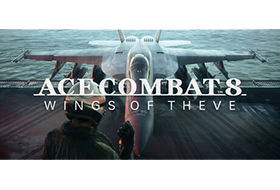
Step into the cockpit and take flight as an elite pilot across stunning skies. Enter intense dogfights, eliminate threats, and rise through gripping missions to earn your wings in this game developed by PROJECT ACES, the acclaimed team behind the franchise. Campaign Mode showcases stunning visuals with dynamic multi-layered cloudscapes that capture the majesty of living skies. Feel the rush of fast-paced arcade-style gameplay while deploying powerful weapons to dominate the battlefield.. Beyond the chaos in the air, exhilarating first-person scenes reveal your pilot’s…
Title: ACE COMBAT 8: WINGS OF THEVE
Genre: Action
Developer: Bandai Namco Aces Inc.
Publisher: Bandai Namco Entertainment Inc.
Release Date: 1 Oct, 2026
About This Game
Soar through the skies and rise above every challenge to earn your place among the elite. Engage in intense aerial combat to dominate the battlefield with powerful weapons. Experience a breathtaking campaign filled with high-stakes missions, hard choices, and deep squad connections.
System Requirements
Minimum:
Requires a 64-bit processor and operating systemOS: Windows 11Processor: Intel Core i7-10700K / AMD Ryzen 5 3600XMemory: 16 GB RAMGraphics: NVIDIA GeForce RTX 2060[6 GB] / AMD Radeon RX 6600 XT[8 GB]DirectX: Version 12Storage: 150 GB available spaceAdditional Notes: This game requires an SSD, a hardware ray tracing-enabled graphics card, and DirectX 12 with Shader Model 6.6 or higher. Estimated performance: 1920×1080(Upscale)/30fps with graphics settings at "Low". Framerate might drop in graphics-intensive scenes.
Recommended:
Requires a 64-bit processor and operating systemOS: Windows 11Processor: Intel Core i7-12700K / AMD Ryzen 5 5600XMemory: 32 GB RAMGraphics: NVIDIA GeForce RTX 3070[8 GB] / AMD Radeon RX 6800 [16 GB] DirectX: Version 12Storage: 150 GB available spaceAdditional Notes: This game requires an SSD, a hardware ray tracing-enabled graphics card, and DirectX 12 with Shader Model 6.6 or higher. Estimated performance: 1920×1080(Upscale)/60fps with graphics settings at "MEDIUM". Framerate might drop in graphics-intensive scenes.
1. Run “VBS.cmd” file with “Run as Administrator”. And pleas read the displayed information carefully before proceeding.
– Once complete, your PC will automatically restart.
– During the restart process, you will see a blue screen, you must press F7 and select “Disable Driver Signature Enforcement”.
2. Start game from “game\Game\Binaries\Win64\AceCombat8.exe” (with “Run as Administrator”).
3. Enjoy ;’)
=========
NOTE 1: After you are done playing the game, it is highly recommended to revert the changes by run “VBS.cmd” file, select “Revert” (by pressing key 3)
NOTE 2: Each time you start the game, you need to repeat all the steps above.
