
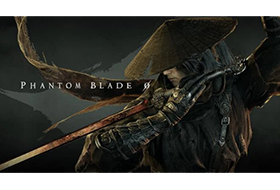
Framed for murdering his master, Soul suffers a devastating wound to the heart, leaving him just sixty-six days to live. Alone and hunted, he roams the Wulin, determined to unravel a conspiracy that has ensnared the martial world. Through rain and blood, kindness and vengeance, he embarks on a journey where love and hatred intertwine in search of a heart. Explore the mysterious Phantom World, where shifting light and shadow conceal mysteries at every turn. Memory Flowers, the Wulin and the Discordance, Transcension, the Lady of the Veil, Inanis’ Dreamscape… Every…
Title: Phantom Blade Zero
Genre: Action, RPG
Developer: S-GAME Studio
Publisher: S-GAME Publishing
Release Date: 28 Oct, 2026
About This Game
S-GAME presents Phantom Blade Zero, a fusion of classic Wuxia storytelling and exhilarating action powered by Unreal Engine 5. You play as Soul, a warrior with only sixty-six days left to live. Fend off assassins, unravel world-ending conspiracies, and defend your values with your life.
System Requirements
Minimum:
Requires a 64-bit processor and operating systemOS: Windows 10/11 (64bit required)Processor: Intel Core i7-8700K / AMD Ryzen 5 3600Memory: 16 GB RAMGraphics: NVIDIA GeForce GTX 1660 6GB / AMD Radeon RX 5500 XT 8GBDirectX: Version 12Storage: 145 GB available spaceAdditional Notes: 1080p / 30 FPS with upscaling enabled. SSD installation required.
Recommended:
Requires a 64-bit processor and operating systemOS: Windows 10/11 (64bit required)Processor: Intel Core i5-10600K / AMD Ryzen 5 5600XMemory: 16 GB RAMGraphics: NVIDIA GeForce RTX 3060 Ti 8GB / AMD Radeon RX 6700 XT 12GBDirectX: Version 12Storage: 145 GB available spaceAdditional Notes: 1440p / 60 FPS with upscaling enabled. SSD installation required.
1. Run “VBS.cmd” file with “Run as Administrator”. And pleas read the displayed information carefully before proceeding.
– Once complete, your PC will automatically restart.
– During the restart process, you will see a blue screen, you must press F7 and select “Disable Driver Signature Enforcement”.
2. Start game from “.exe” (with “Run as Administrator”).
3. Enjoy ;’)
=========
NOTE 1: After you are done playing the game, it is highly recommended to revert the changes by run “VBS.cmd” file, select “Revert” (by pressing key 3)
NOTE 2: Each time you start the game, you need to repeat all the steps above.
