
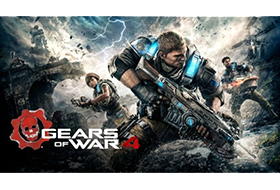
A new saga begins for one of the most acclaimed video game franchises in history. After narrowly escaping an attack on their village, JD Fenix and his friends, Kait and Del, must rescue the ones they love and discover the source of a monstrous new enemy.
Gears of War 4 v14.4.0.2 (c) Microsoft Studios
RELEASE DATE.: 10/2026 PROTECTION.: UWP+Arxan+Custom
DISCS……..: 1 GENRE……: Action
A new saga begins for one of the most acclaimed video game
franchises in history. After narrowly escaping an attack on their
village, JD Fenix and his friends, Kait and Del, must rescue the
ones they love and discover the source of a monstrous new enemy.
Never Fight Alone: Enjoy two-player co-op campaign with friends
locally via split-screen or over Xbox Live. Player 2 can select
either Kait or Del. Horde 3.0: Team up with four others and battle
wave after wave of increasingly difficult enemies by choosing your
combat class, leveling up your skills and deploying fortifications
anywhere on the map. Explosive Versus Multiplayer: Compete online
in new and favorite game types, all at 60fps on dedicated servers.
A new visible ranking system means fairer matchmaking for social,
competitive and professional players alike.
– Extract
– Burn or mount the .iso
– Run setup.exe and install
– Let our installer copy the crack for you!
– Play from Start Menu Shortcut!!
NOTES: We have fully ported the old UWP emu from C++/CX to C++/WinRT,
plus some additions and bug fixes. This crack should be future-proof
for upcoming Windows updates.
If the game does not start, try installing it to a non-encrypted
drive instead.
Always launch the game from the Windows start menu entry! You can
also make a desktop shortcut by drag and dropping the game list
entry in start menu to your desktop.
This game requires Windows 10 version 1607 or newer to play.
If you experience freezes during cutscenes (especially in the first
campaign cutscene), disable “Tiled Resources” in graphics settings
in game settings.
If you do not tick the “Copy contents of RUNE directory to installdir”
checkbox, the game must be manually registered by starting
“InstallApp.exe”.
If you tick the “Do not create uninstaller and do not write any
specific system info” checkbox, the game must be manually
unregistered by either uninstalling the game via Windows settings, or
by starting “InstallApp.exe” with /uninstall argument.
