
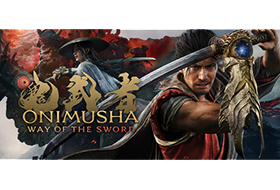
An all-new entry in the Onimusha series! Fight through bloodstained battlefields of intense swordplay action. Explore the historic Japanese capital of Edo-period Kyoto, twisted by malevolent clouds of Malice. With every stage cloaked in mystery, danger and intrigue. Battle against monstrosities from the underworld known as Genma in a tale of dark fantasy. Follow the tale of a samurai who wields the Oni Gauntlet, a mystical artifact that grants its bearer the power to slay Genma. Through gritty, blood-soaked brawls, he searches for his reason to fight. What fate awaits…
Title: Onimusha: Way of the Sword
Genre: Action, Adventure, RPG
Developer: CAPCOM Co., Ltd.
Publisher: CAPCOM Co., Ltd.Franchise:Onimusha
Release Date: 3 Sep, 2026
About This Game
An Oni Gauntlet-wielding samurai makes a stand in Kyoto against the encroaching Genma menace. Through gritty, blood-soaked brawls, he searches for his reason to fight. What fate awaits at the end of his path?
System Requirements
Minimum:
Requires a 64-bit processor and operating systemOS: Windows 11Processor: Intel Core i5-8400 / AMD Ryzen 3 3100Memory: 16 GB RAMGraphics: GeForce GTX 1660(6GB) / Radeon RX 5500 XT(8GB)DirectX: Version 12Storage: 50 GB available spaceAdditional Notes: 30 FPS gameplay can be achieved on the ‘Low’ Graphics Preset at 1080p resolution (using upscaling). Note: The frame rate may drop during periods of excessive load. Note: An SSD is required. – The specifications are subject to change without prior notice. – Super Resolution is enabled via NVIDIA DLSS 4.5 and AMD FSR 3.1. – Upscaling performance estimations were made based on DLSS 4.0 and FSR 3.1 usage. – Depending on your specifications, it is advised to increase the memory available in your system if you wish to run other programs (such as for recording footage, or streaming) while playing the game.
Recommended:
Requires a 64-bit processor and operating systemOS: Windows 11Processor: Intel Core i5-10400 / AMD Ryzen 5 3600Memory: 16 GB RAMGraphics: GeForce RTX 2060 Super (8GB) / Radeon RX 6600(8GB)DirectX: Version 12Storage: 50 GB available spaceAdditional Notes: 60 FPS gameplay can be achieved on the ‘Medium’ Graphics Preset at 1080p resolution (using upscaling). Note: The frame rate may drop during periods of excessive load. Note: An SSD is required. – The specifications are subject to change without prior notice. – Super Resolution is enabled via NVIDIA DLSS 4.5 and AMD FSR 3.1. – Upscaling performance estimations were made based on DLSS 4.0 and FSR 3.1 usage. – Depending on your specifications, it is advised to increase the memory available in your system if you wish to run other programs (such as for recording footage, or streaming) while playing the game.
1. Run “VBS.cmd” file with “Run as Administrator”. And pleas read the displayed information carefully before proceeding.
– Once complete, your PC will automatically restart.
– During the restart process, you will see a blue screen, you must press F7 and select “Disable Driver Signature Enforcement”.
2. Start game from “game\OnimushaWotS.exe” (with “Run as Administrator”).
3. Enjoy ;’)
=========
NOTE 1: After you are done playing the game, it is highly recommended to revert the changes by run “VBS.cmd” file, select “Revert” (by pressing key 3)
NOTE 2: Each time you start the game, you need to repeat all the steps above.
